Protect the survivors
Watch your surroundings and respond as zombies close in on civilians. Saving more people helps you earn a better mission reward.
Every survivor matters
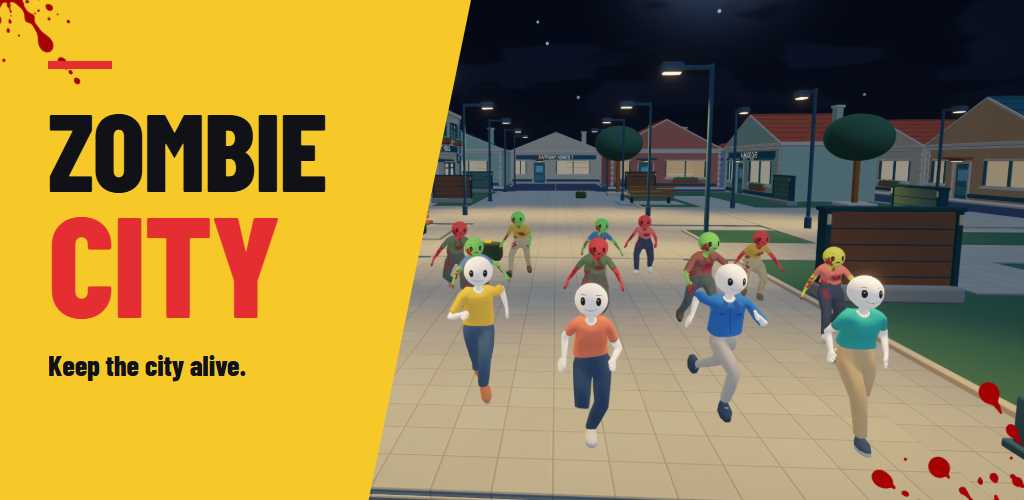
Step into a colorful low-poly city after dark. Fight through streets, move around buildings and protect the people still standing. Your mission: eliminate every zombie while keeping at least one human alive.
Watch your surroundings and respond as zombies close in on civilians. Saving more people helps you earn a better mission reward.
Choose a weapon for the fight, keep track of ammunition and reload when you have an opening. Accuracy and completion time contribute to your reward.
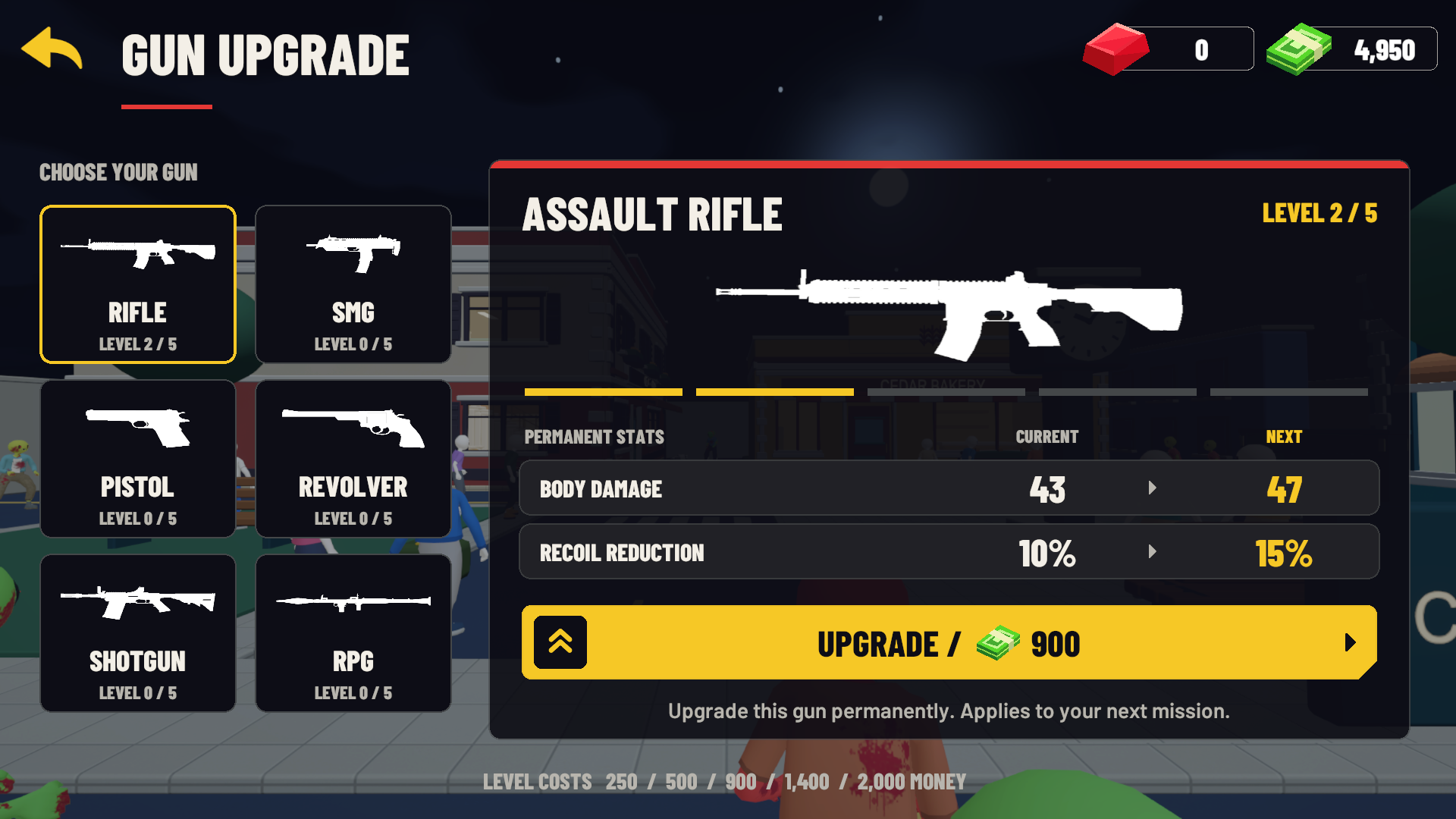
Spend earned game money on permanent gun upgrades. Replay completed missions to improve your stars and prepare for the next challenge.
Two cities. Twenty missions.
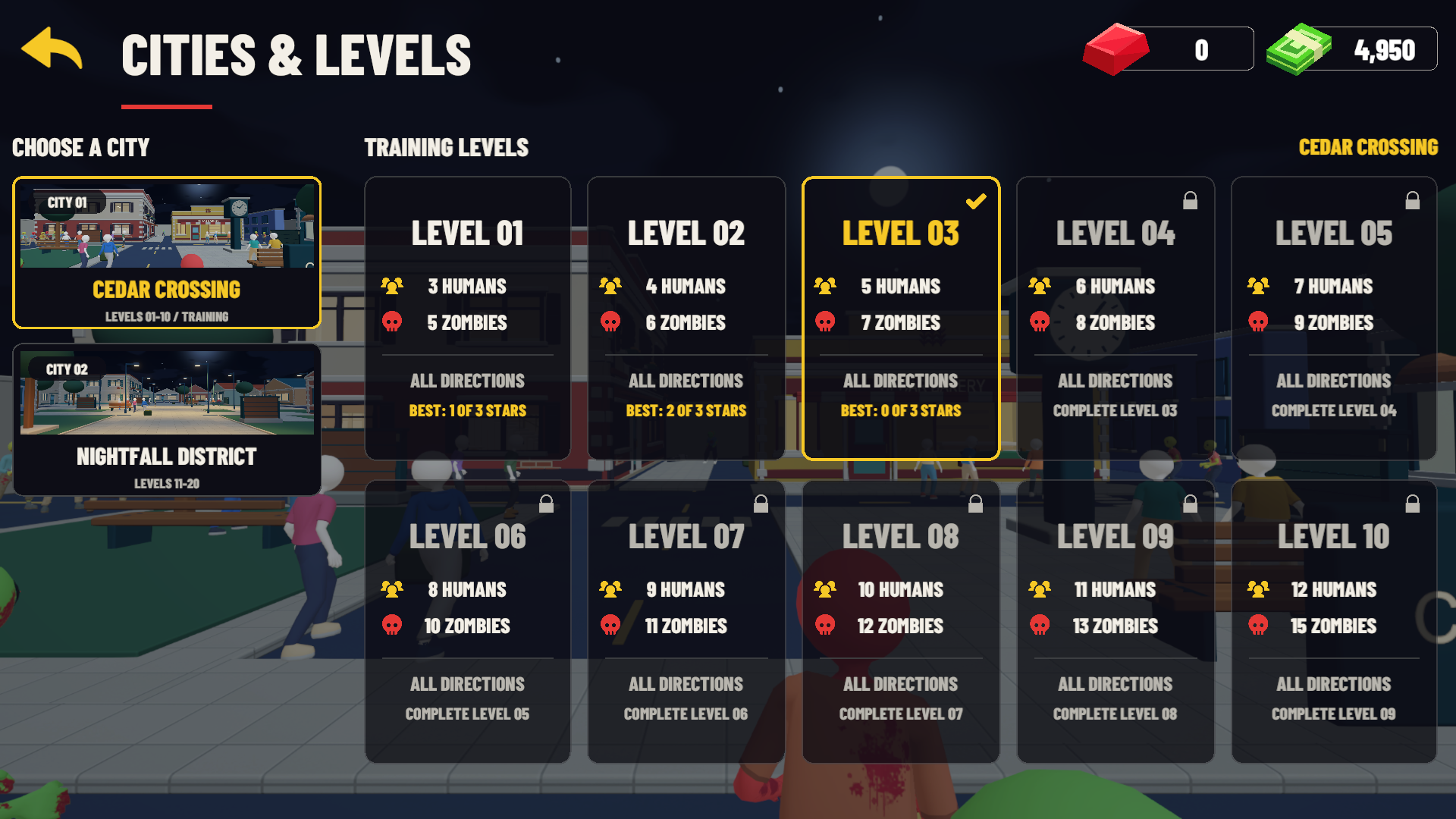
Complete each level to unlock the next. Your current unfinished level is selected when you return to the campaign.
Learn the streets around Clock Square and the market lanes. Training begins with 5 zombies and 3 humans, building to 15 zombies and 12 humans. There are no waves here: threats approach from every direction.
Take on larger rescue missions among garden paths and enterable homes. Three waves bring increasing pressure, with more zombies and more people to protect as you advance.
Choose your firepower
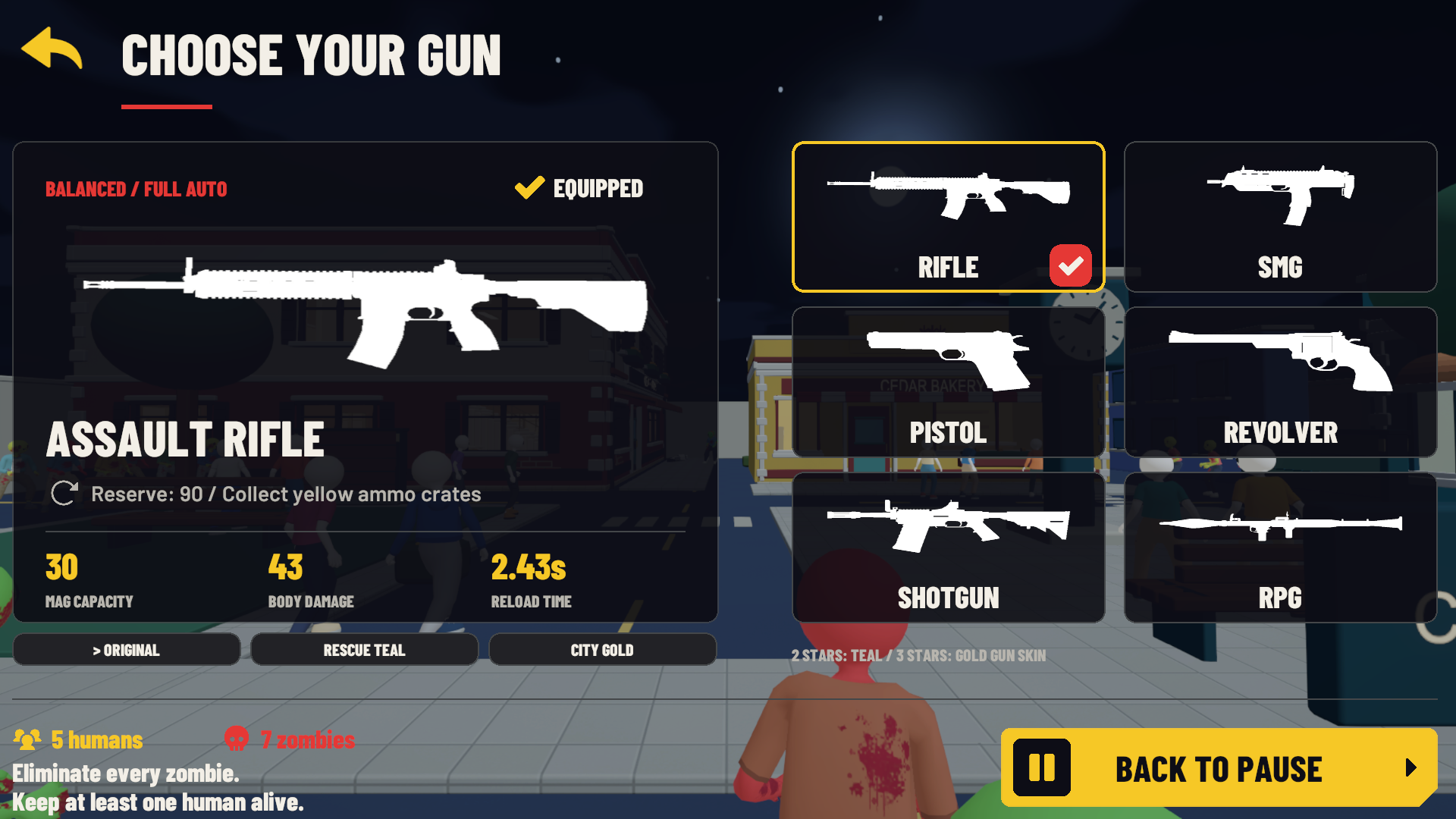
Choose your gun before a mission. Each weapon has its own handling, ammunition capacity and reload rhythm.
Balanced automatic fire for changing encounters.
Fast automatic fire when enemies close the distance.
A light, semi-automatic option for deliberate shots.
Powerful single shots with a small cylinder.
A spread of pellets for close-range fights.
Explosive rockets for groups of zombies. Give yourself space to reload.
Each gun has five permanent upgrade levels. Review the current and next stats on the Gun Upgrade screen before spending your game money.
Inside Zombie City
Current in-game screens, captured with the mobile controls visible during gameplay. Select a screenshot to view it at full size.
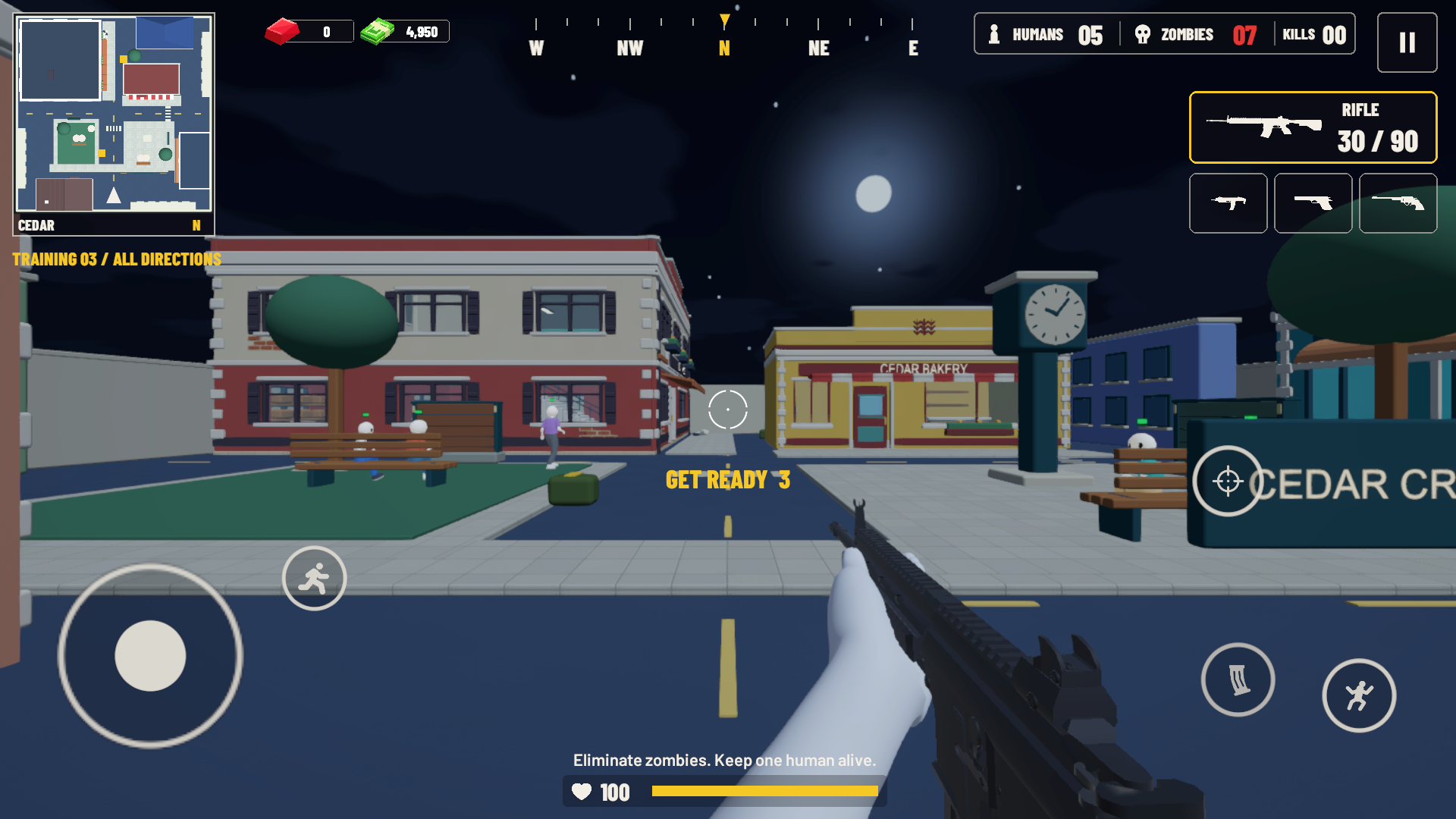
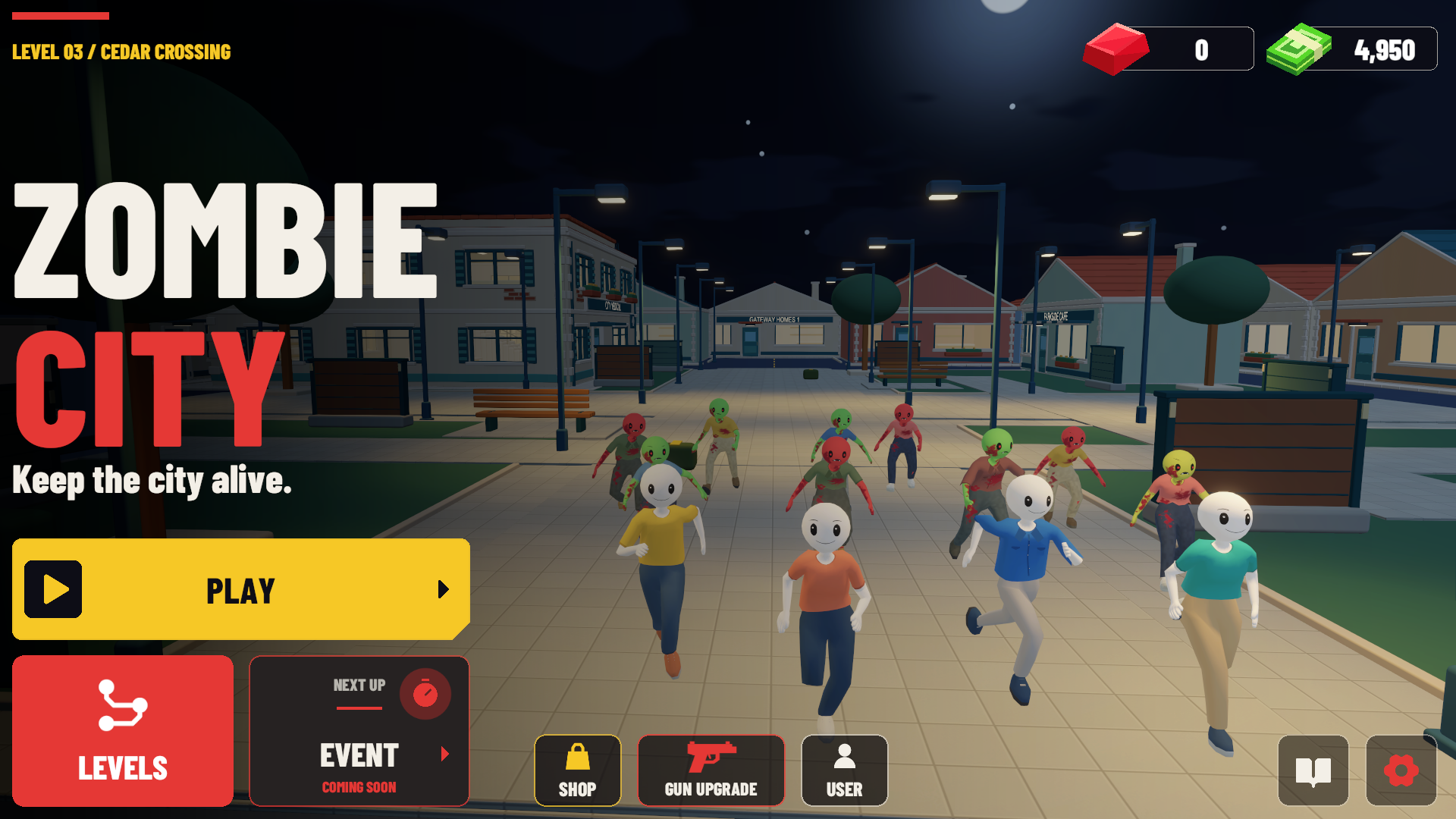
Play in landscape and keep an eye on both the street and the minimap.
Open Levels, choose an unlocked level, then pick your gun. Win to move forward or replay an earlier mission.
Use the movement joystick and drag to look around. Tap Run to start running; tap again to stop. Use the jump, aim and reload controls as needed.
Green markers identify humans; red markers identify zombies. Protect survivors while clearing the remaining enemies.
Open Settings to adjust sensitivity, shooting assists, sound and team markers, or move and resize your touch controls.
Make every mission count
Earn 50–500 game money for a win. The total considers the clear, survivors, accuracy and speed. Watch your reward move into your balance.
Claim 200 game money, or choose an available rewarded ad to receive three times the daily amount.
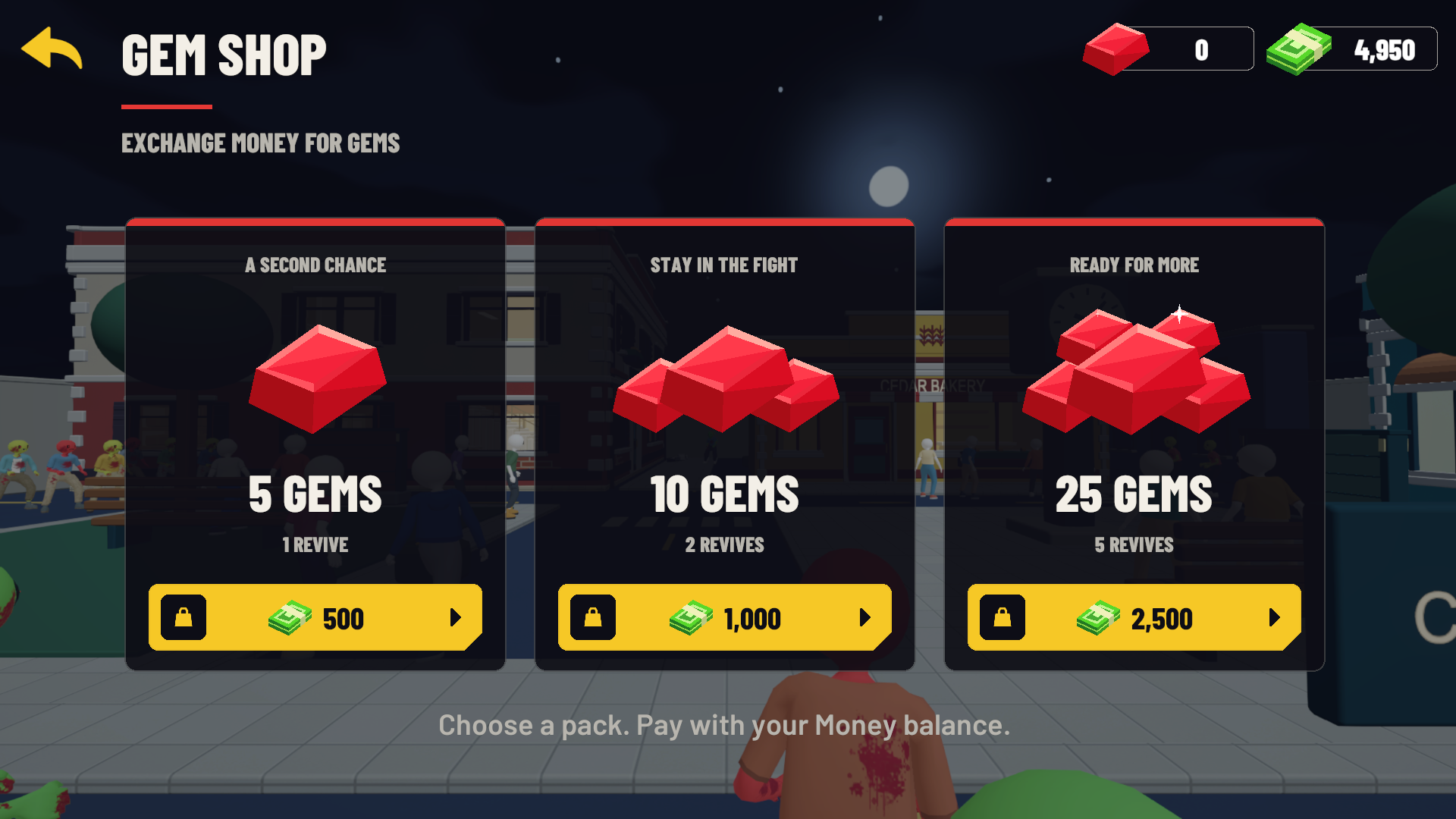
When your hero falls, spend 5 gems to revive or choose Watch Ad when an ad is available. Reviving returns you to the same fight.
Shop packs and upgrades use in-game currency. Rewarded ads are optional, need an internet connection and depend on availability. A reward is granted when the ad service confirms completion.
Your progress, backed up
Play with a local save, or use optional Google sign-in to back up your money, gems, level stars, gun upgrades, selected level, gun skin and daily-reward claim status.
Tap User beside Gun Upgrade, then Sign in with Google. If already connected, your profile picture appears in place of the User icon.
Use Back Up Now or Cloud Save. If your device and cloud saves differ, review them and choose Use Device or Use Cloud. The selected save replaces the other; balances are not added together.
Cloud features need internet and the same Google account. Signing out keeps local progress and does not delete your cloud account. Manage or request deletion of your data.
No. Choose Not Now to continue with device progress. Google sign-in is for optional cloud backup.
Complete Cedar Crossing's ten training levels. Nightfall starts at level 11 and continues through level 20.
If your hero falls, you can use gems or an available rewarded ad to revive. You can also retry the mission. At least one human must survive to win.
Back up from User, then sign in with the same Google account on the other Android device. Review any save conflict before choosing which progress to keep.
AM-Games support
Get help with controls, rewards, Google sign-in or your saved progress.